

Velocity
A modern, MV3-native control layer for every video and audio element online: 0.05x precision, per-site memory, a floating glass HUD, and zero trackers. It's the one tool here every Chrome user can use, and the only thing it ever talks to is your browser.
Built for performance and power users.
Velocity scans, controls and overrides media streams entirely on your machine: no lag, no tracking overhead, and nothing leaving the page. Here's what does the work.
Resilient Shadow DOM injection
Standard speed controllers fail inside modern single-page apps because the video lives behind web-component frames. Velocity recursively walks document boundaries and shadow roots to reach deep-nested players, including overlay-intercepted feeds on Instagram, TikTok, Reddit and YouTube Shorts.
Floating glass speed HUD
Hover any player to reveal a frosted-glass toolbar. Click to adjust, skip and rewind. It hides the moment your cursor leaves and fades after a few idle seconds, working reliably even on overlay-heavy sites where transparent layers swallow pointer events.
Smart typing detection
Single-key hotkeys are fast, but they should never fire mid-sentence. Context listeners spot form inputs, comment boxes and search fields and quietly stand down, so you can rebind shortcuts to any key without them firing while you type.
Per-site speed memory
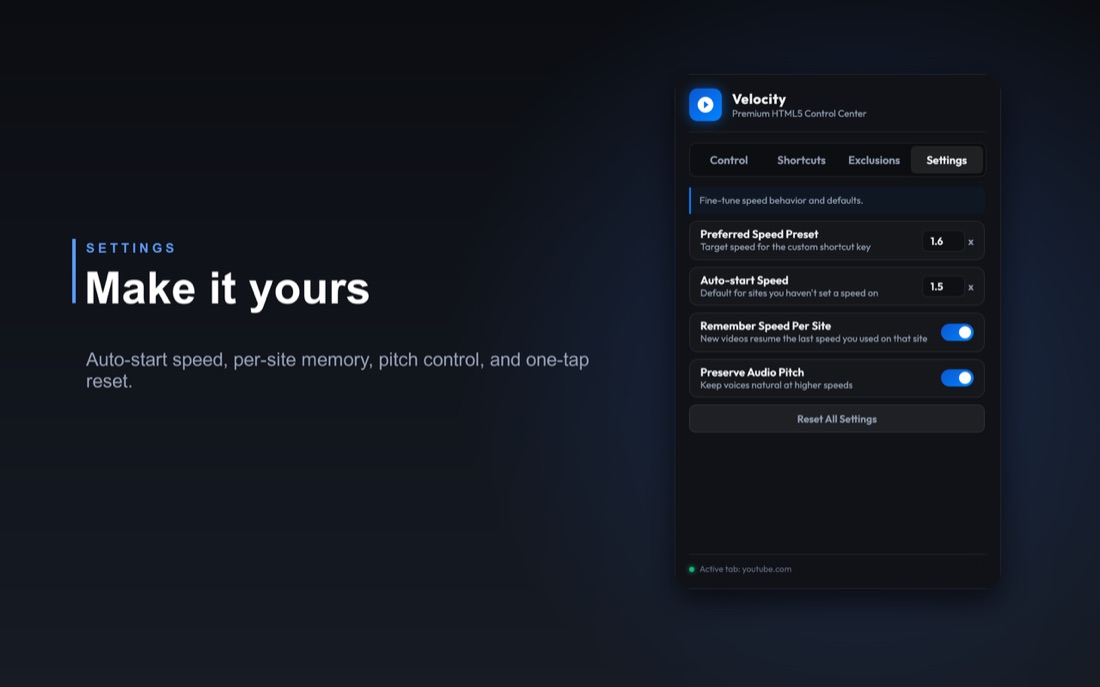
Set 1.5x for lectures and 1x for music, and Velocity remembers each site's speed for next time. Prefer it everywhere? Pick an auto-start speed and every new video opens there automatically, across YouTube, Netflix, Udemy and the rest.
Wheel and keyboard control
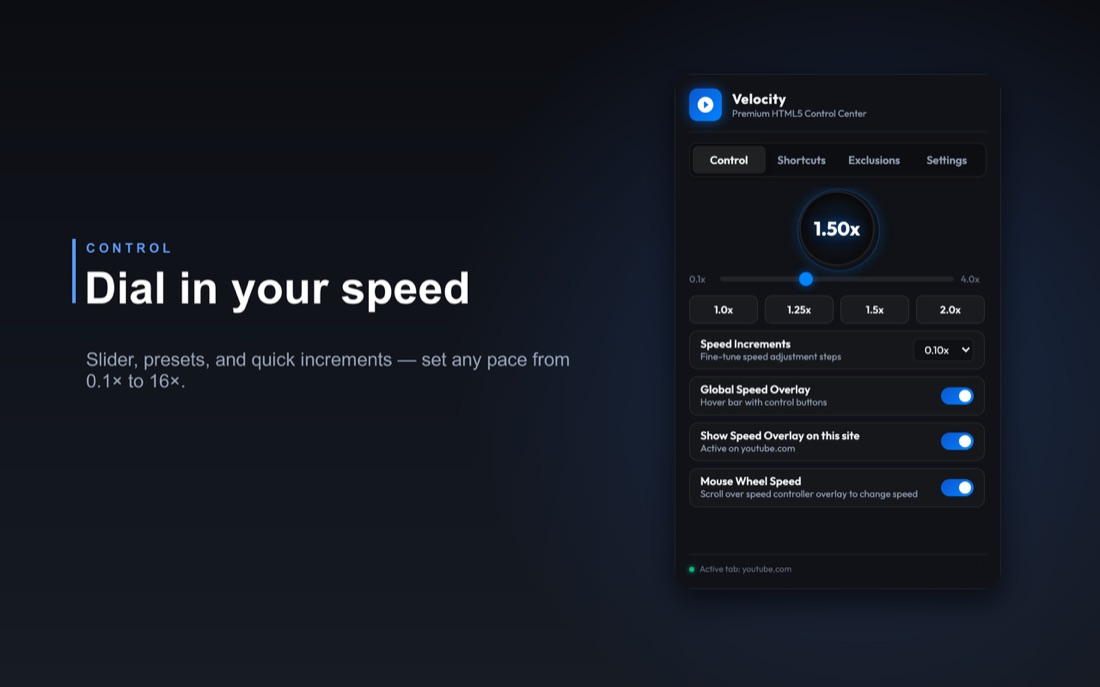
Nudge speed with the mouse wheel over the player, or use single-key shortcuts to step up, step down, reset, rewind and fast-forward. Every change throws a brief HUD toast so you always know exactly where you landed.
Micro-precision down to 0.05x
The slider fine-tunes in 0.05x increments from 0.1x all the way up. Push past the usual 4.0x with shortcuts and the slider scales its own range to match, cleanly snapping back once you return to normal speeds.
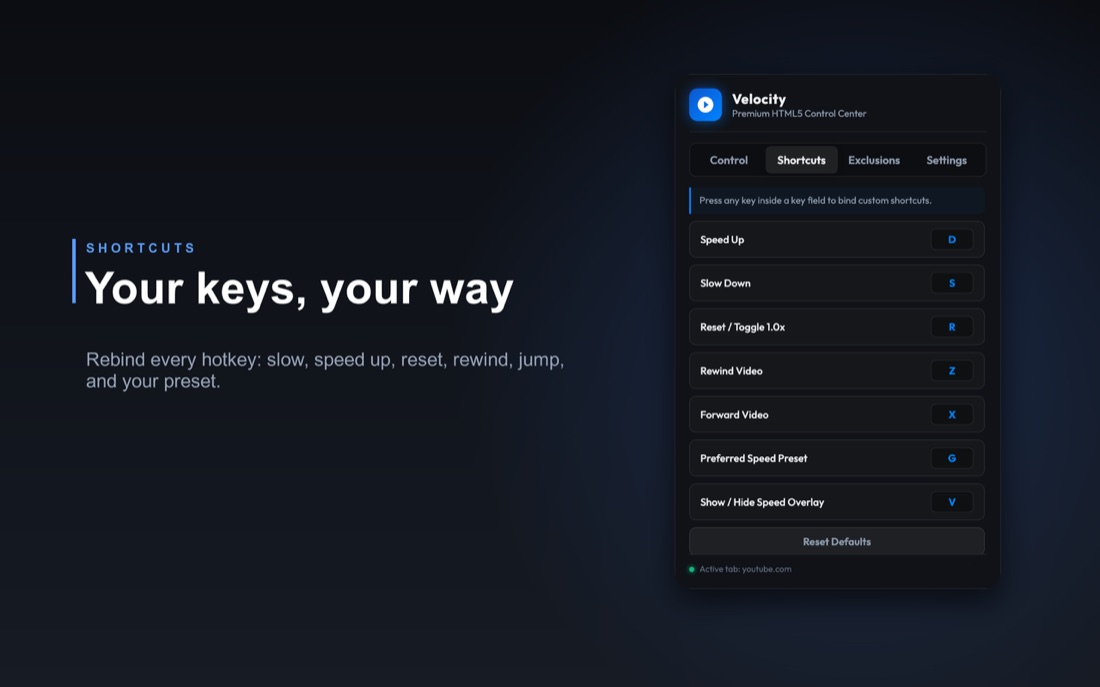
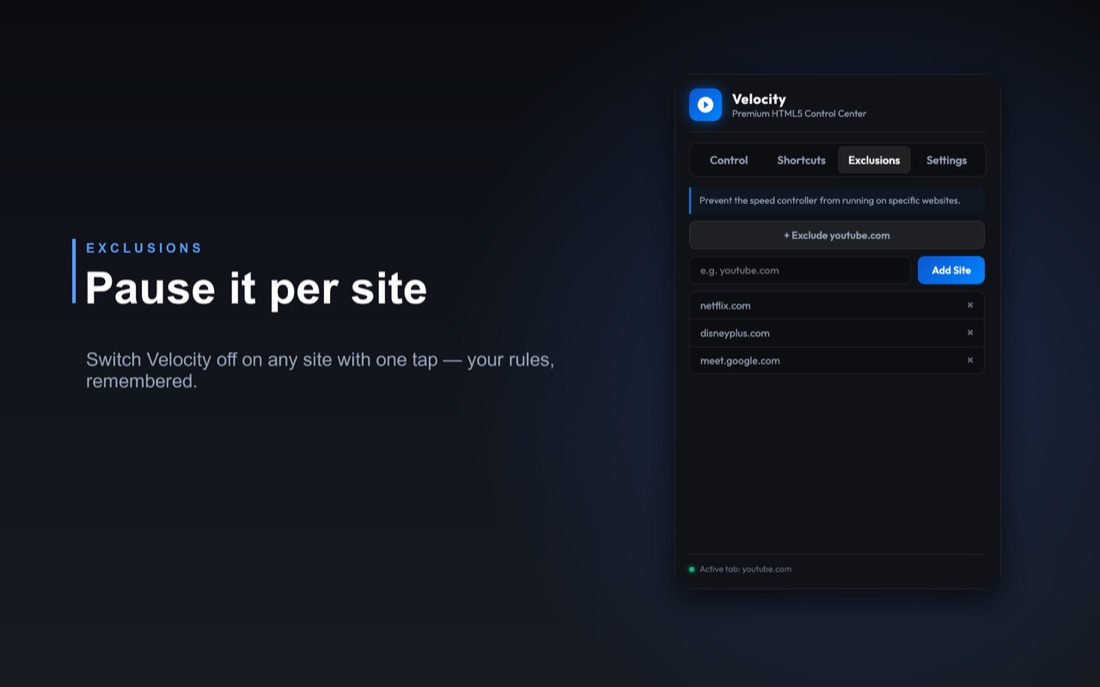
The popup, up close.
Keyboard controls, mapped sensibly.
Velocity ships with efficient single-key defaults, and every binding is rebindable from the popup. These are the ones you'll reach for.
Installed in a click, then out of the way.
Install from the Chrome Web Store
No DMG, no account, no setup wizard. Add it to Chrome (or any Chromium browser: Edge, Brave) on desktop and it's ready immediately.
Open any video
Velocity stays idle until a media element appears, then quietly attaches, reaching even players buried inside shadow roots and overlay layers.
Nudge with keys, scroll or the HUD
Tap a shortcut, scroll the wheel over the player, or click the floating glass HUD. Your chosen speed is remembered per site for next time.
Free, on the Chrome Web Store.
No premium tier, no subscription, no upsell. Velocity is distributed entirely through the Chrome Web Store. There's no app to download or install by hand.
Velocity: Universal Video Speed Control
For Chrome, Edge and Brave on desktop · 100% local · no trackers
Good things to know.
Does it work on YouTube, Netflix and the rest?
Yes, any site using standard HTML5 video. YouTube, Netflix, Disney+, Prime Video, Hulu, Twitch, Vimeo, Instagram, TikTok, Reddit, Udemy, Coursera, edX and thousands more. A small number of heavily DRM-encrypted players, or videos sealed inside deeply sandboxed iframes, sit outside what any extension can reach, but Velocity's Shadow DOM traversal handles the vast majority.
Are there any trackers or data collection?
None. Velocity runs 100% locally: zero network requests, no telemetry, no browsing history, nothing stored remotely. Your settings and per-site speeds live only in your browser's sandboxed storage. No accounts, no subscriptions, no telemetry, no nonsense. The extension only ever talks to the page in front of you.
What are the keyboard shortcuts, and can I change them?
By default: slow down and speed up in 0.10x steps, reset to 1.00x, rewind and fast-forward 10 seconds, and toggle the HUD. Every binding is rebindable: open the popup, go to the Shortcuts tab, and tap any key to remap it. Changes save instantly with no restart, and they stay active even in Picture-in-Picture.
Does it remember the speed per site?
Yes. Velocity remembers the speed you set for each site, so lectures stay at 1.5x while music stays at 1x. You can also set a single auto-start speed that applies to every new video everywhere, handy for getting through long courses on Udemy, Coursera or edX.
Is it free?
Completely free. No premium tier, no subscription, no upsell: install it from the Chrome Web Store and every feature is yours without limits. It's desktop only, since Chrome extensions don't run on mobile.